Tracking Zero Scores on Electronic Judge Forms (v.26.2)
One of the critical components of the convention registration program is the electronic judging. It is convenient, efficient, and streamlines the event entry scoring process. However, it is not perfect, and scores on some of the judge form lines may inadvertently be set to zero ("zero scores"). These would result in incorrect placings for the awards.
One feature added in this version is the ability for the organization and convention administrators ("administrators") to have more visibility into the judge scoring and identify early the judging line zero scores. This article provides instruction for a couple different options to quickly identify events that have entries with zero scores.
Option 1 - Registar Scoring/Placings Page
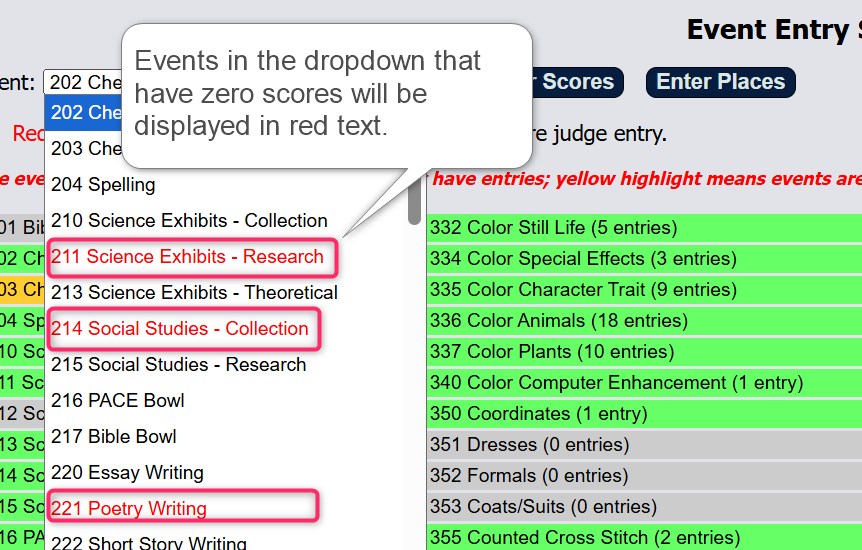
Events with zero scores can be quickly identified by the red-colored event names in the event dropdown list. The red colored text is only visible for the administrators. Registrars will be able to view the dropdown list normally as before.

Option 2 - Judge Forms
The second method of viewing the zero scores is to drill down into the details of the entry judge form that contains the zero scores. Administrators are able to open up each event entry's judge form and view the respective judge's line scores. The same will also have the option to modify any of the judge form lines.
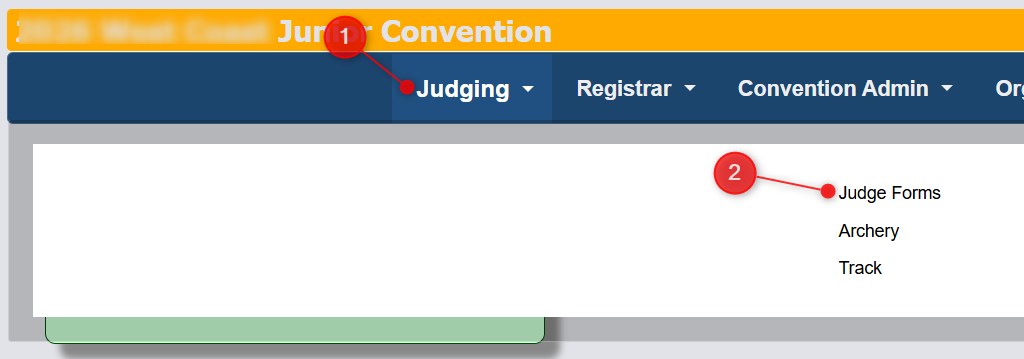
From the menu, select Judging, then Judge Forms.
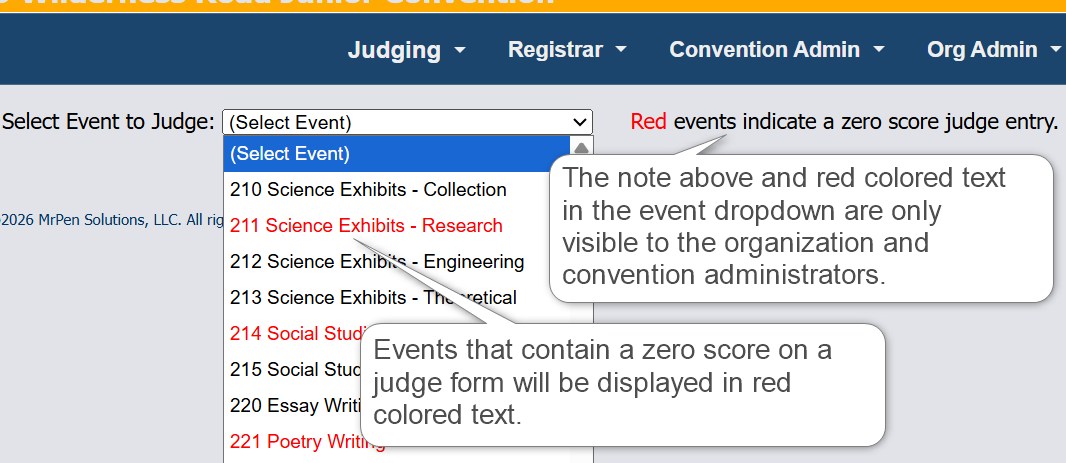
The drop down list of events will display similar to that of the Registrar Scores/Placings screen.
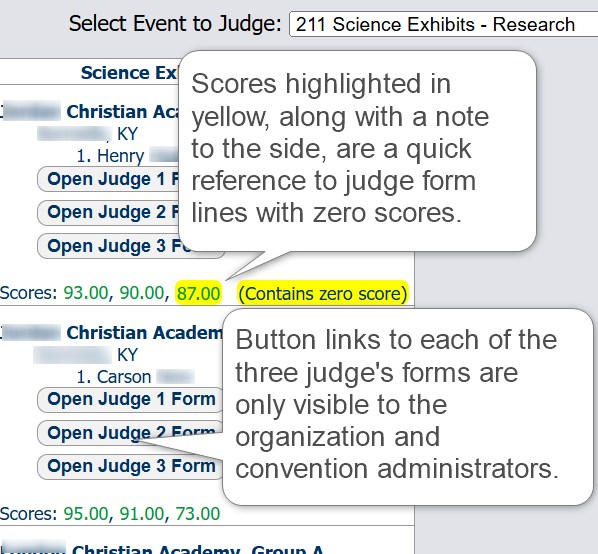
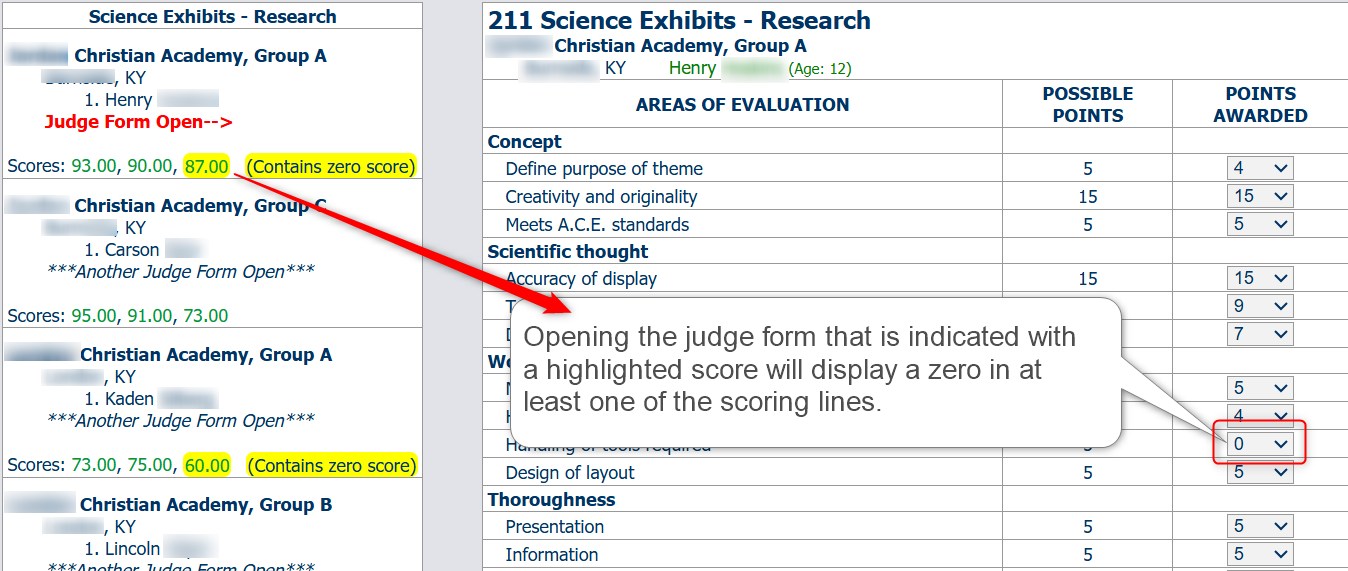
Selecting an event will display the event's entries in the left side of the main part of the judge form page. Each entry will list the school, event group, participant names, and judge scores. For the individual judges, only their score will be displayed. All three scores will be displayed for the administrator.
A judge form that contains a zero score will have its score highlighted in yellow for both judges and administrators. This will give a quick, easy reference to identify any judge form that may need to have their line scores reviewed.
For only the administrators, three buttons representing each form assigned to their respective judges, will be displayed. Judge names are not listed anywhere in this page. Please note these buttons will only display when the event is not locked in the Registrar Scores/Placings page.
By clicking one of the open judge form buttons, each judge's scores are displayed in the main portion of the page. At least one of the lines should display a zero value. The adminstrator viewing the judge form may make modifications to the form, saving the form upon closing. Any updated scores will be visible on the Registrar Scores/Placings page. NOTE: The event's scores will need to be saved on the Registrar Scores/Placings page in order to update the event's placings!
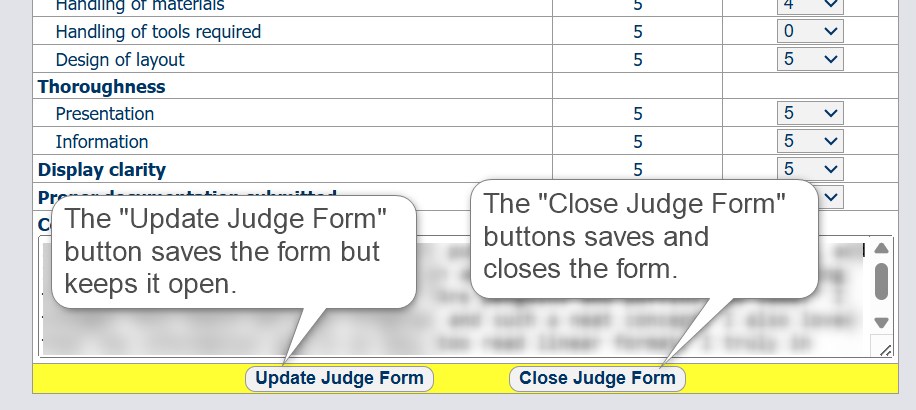
To save and close the judge form, simply click the "Close Judge Form" button at the bottom of the page.
Tracking zero scores on judge forms is another way we can add quality and integrity to the convention competition and provide better communication between convention coordinators and judges.